Traffic signals in Pennsylvania
The Pennsylvania Driver's Manual shows or names everything on this page: 24 in all, on pages 7–9.
Independent educational site · not affiliated with any government agency or DMV
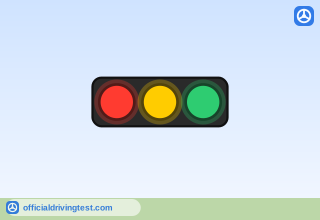
Horizontal traffic signal
Traffic signals are arranged in either vertical lines or horizontal lines. When they are arranged vertically, red is always on top and green on the bottom. When they are arranged horizontally, red is always on the left and green on the right.
Manual page 7 · Open this page in the manual (Manual page 7)
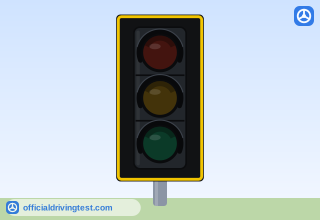
Vertical traffic signal
Traffic signals are arranged in either vertical lines or horizontal lines. When they are arranged vertically, red is always on top and green on the bottom. When they are arranged horizontally, red is always on the left and green on the right.
Manual page 7 · Open this page in the manual (Manual page 7)
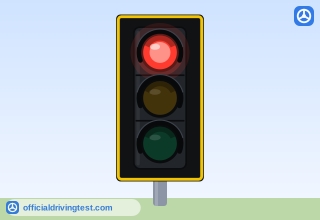
STEADY RED LIGHT
When there is a STEADY RED LIGHT, you must stop before crossing the marked stop line or crosswalk. If you do not see any lines, stop before entering the intersection. Wait for a green light before you start. You may turn right while the light is red, unless a NO TURN ON RED sign is posted at the intersection. You must first stop, check for and yield to pedestrians and other traffic.
Manual page 7 · Open this page in the manual (Manual page 7)
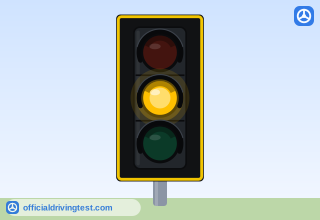
STEADY YELLOW LIGHT
A STEADY YELLOW LIGHT tells you a steady red light will soon appear. If you are driving toward an intersection and a yellow light appears, slow down and prepare to stop. If you are within the intersection or cannot stop safely before entering the intersection, continue through carefully.
Manual page 7 · Open this page in the manual (Manual page 7)
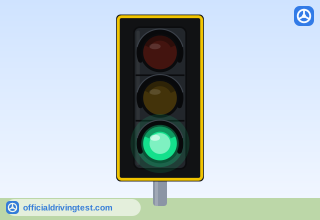
STEADY GREEN LIGHT
A STEADY GREEN LIGHT means you may drive through the intersection, if the road is clear. You may also turn right or left unless a sign tells you not to; however, when turning, you must yield to other vehicles and pedestrians within the intersection.
Manual page 7 · Open this page in the manual (Manual page 7)
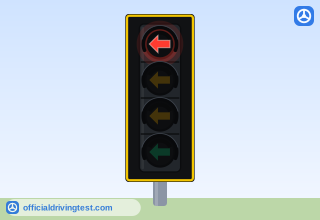
STEADY RED ARROW
A STEADY RED ARROW means you must stop and may not turn in the direction the arrow points. Wait for a Green Arrow or a Flashing Yellow Arrow before you start. The same turns-on-red that are allowed for a steady red signal are allowed for a steady red arrow.
Manual page 7 · Open this page in the manual (Manual page 7)
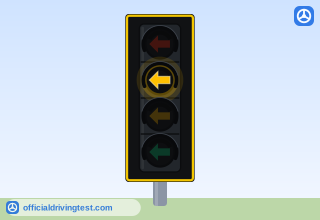
STEADY YELLOW ARROW
A STEADY YELLOW ARROW means the movement permitted by the green arrow or the flashing yellow arrow is about to end and the signal will soon turn red. You should slow down and prepare to stop completely before entering the intersection. If you are within the intersection or cannot stop safely before entering the intersection, you may complete the turn begun on the preceding arrow with caution.
Manual page 7 · Open this page in the manual (Manual page 7)
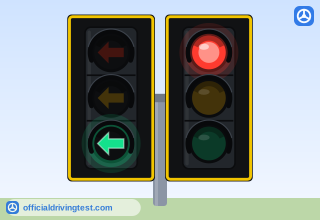
STEADY GREEN ARROW
A STEADY GREEN ARROW means you may turn the way the arrow points. When you turn during the green arrow phase, your turn is "protected" because oncoming traffic is stopped by a red light. If the green arrow turns into a green light, you may still turn in that direction, but first yield to pedestrians and oncoming traffic.
Manual page 7 · Open this page in the manual (Manual page 7)
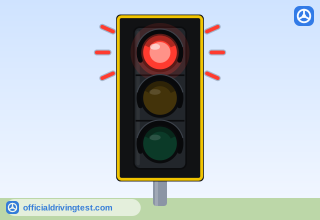
FLASHING RED LIGHT
A flashing red light has the same meaning as a STOP sign. You must come to a complete stop. Then, look both ways, and proceed only after the intersection is clear.
Manual page 8 · Open this page in the manual (Manual page 8)
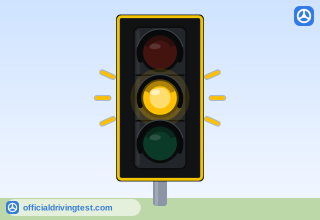
FLASHING YELLOW LIGHT
A flashing yellow light means CAUTION. Slow down, look and proceed with care.
Manual page 8 · Open this page in the manual (Manual page 8)
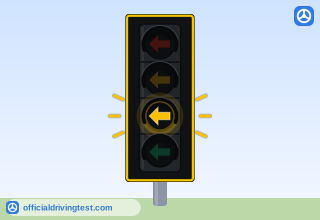
FLASHING YELLOW ARROW
A FLASHING YELLOW ARROW means you may turn in the direction of the arrow with caution, however, you must first yield to oncoming traffic and pedestrians. When you turn during the flashing yellow arrow phase, your turn is NOT protected; oncoming traffic will have a green light.
Manual page 8 · Open this page in the manual (Manual page 8)
NON-FUNCTIONING TRAFFIC LIGHTS
A non-functioning traffic signal should be treated as though it were a four-way STOP sign.
Manual page 8 · Open this page in the manual (Manual page 8)
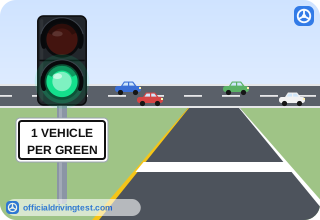
RAMP-METERING SIGNAL
Some highway entrance ramps have traffic signals at the end of the ramp that alternate between steady green and steady red. Ramp metering signals are used to control the flow of traffic onto very congested highways and usually operate during peak rush hours. You must wait for the green signal before you enter the highway. On single-lane ramps, only one (1) car may enter the highway each time the light turns green. For multi-lane on ramps, there will be a ramp meter for each lane. The green light does not protect your entrance onto the highway — you must still look for a safe gap in traffic to enter the highway.
Manual page 8 · Open this page in the manual (Manual page 8)
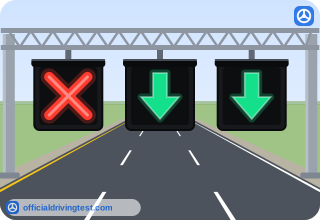
GREEN ARROW LANE SIGNAL
A steady downward green arrow over a traffic lane means you may use the lane.
Manual page 8 · Open this page in the manual (Manual page 8)
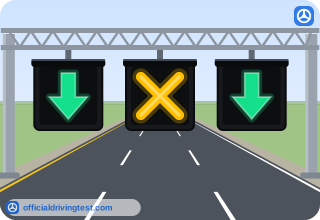
YELLOW X LANE SIGNAL
A steady yellow "X" over a traffic lane means you must change lanes because the direction of travel for that lane is about to be reversed. Get ready to leave the lane safely.
Manual page 8 · Open this page in the manual (Manual page 8)
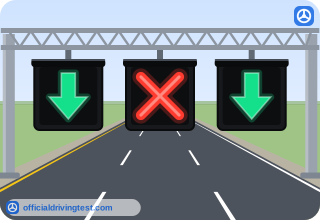
RED X LANE SIGNAL
A steady red "X" over a lane means you are not allowed to use the traffic lane.
Manual page 8 · Open this page in the manual (Manual page 8)
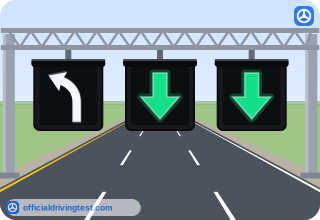
White left-turn lane arrow signal
A white steady, one-way left-turn arrow over a lane means you may only turn left, if you are in that lane.
Manual page 8 · Open this page in the manual (Manual page 8)
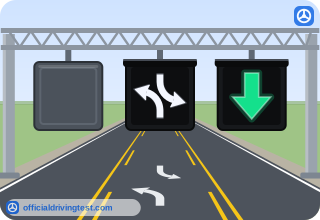
Two-way left-turn lane signal
A white steady, two-way left-turn arrow over a lane means you may only turn left, if you are in that lane, but the lane is shared by left-turning drivers approaching from the opposite direction.
Manual page 8 · Open this page in the manual (Manual page 8)
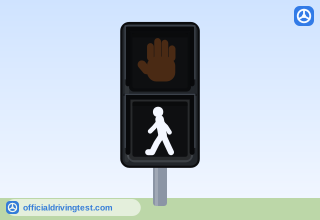
WALK signal
When a steady WALK or walking person comes on, start crossing, but be alert for turning vehicles that may not lawfully yield the right of way.
Manual page 9 · Open this page in the manual (Manual page 9)
Walking person signal
When a steady WALK or walking person comes on, start crossing, but be alert for turning vehicles that may not lawfully yield the right of way.
Manual page 9 · Open this page in the manual (Manual page 9)
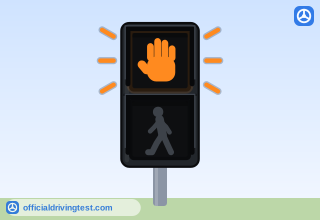
Flashing DONT WALK
When the flashing DON'T WALK or flashing upraised hand begins: a. Finish crossing, if you are in the street. b. Do not start to cross, if you have not left the curb.
Manual page 9 · Open this page in the manual (Manual page 9)
Flashing upraised hand
When the flashing DON'T WALK or flashing upraised hand begins: a. Finish crossing, if you are in the street. b. Do not start to cross, if you have not left the curb.
Manual page 9 · Open this page in the manual (Manual page 9)
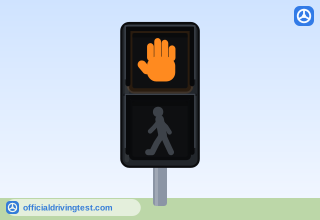
DONT WALK
When the steady DON'T WALK message or steady upraised hand is displayed, do not cross.
Manual page 9 · Open this page in the manual (Manual page 9)
Steady upraised hand
When the steady DON'T WALK message or steady upraised hand is displayed, do not cross.
Manual page 9 · Open this page in the manual (Manual page 9)