Traffic signals in Washington
The Washington Driver Guide shows or names everything on this page: 15 in all, on pages 110–113, 128, 135, 137.
Independent educational site · not affiliated with any government agency or DMV
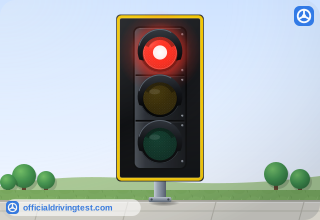
Solid Red Light
Stop. Wait until the traffic light turns green and there are no vehicles or pedestrians in the intersection before you move ahead. / After coming to a complete stop at a red light, you can turn right if you don’t see a “no turn on red” sign and you have plenty of room to enter traffic. / After coming to a complete stop at a red light, you can turn left onto a one-way street if you don’t see a “no turn on red” sign and you have plenty of room to enter traffic.
Manual page 110 · Open this page in the manual (Manual page 110)
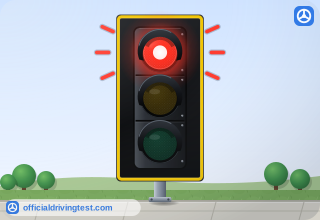
Flashing Red Light
Stop. A flashing red traffic light functions as a stop sign. Come to a full stop, and then go when it’s your turn.
Manual page 110 · Open this page in the manual (Manual page 110)
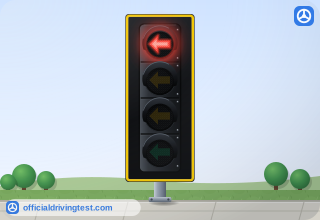
Red Arrow
Stop. A red arrow means you can’t go in the direction of the arrow.
Manual page 110 · Open this page in the manual (Manual page 110)
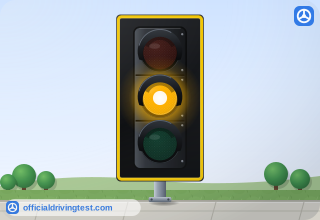
Solid Yellow Light
Slow down. This means the light is changing to red. When you see a yellow light, slow down and prepare to stop. If you’re in the intersection when the yellow light comes on, continue through the intersection at the posted speed. / You are not allowed to accelerate beyond the posted speed limit to enter or clear an intersection when the light is yellow.
Manual page 111 · Open this page in the manual (Manual page 111)
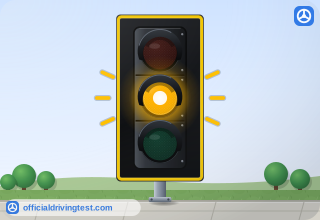
Flashing Yellow Light
Slow down. A flashing yellow light has the same meaning as a yield sign. Treat the intersection as an uncontrolled intersection. Proceed when you have the right-of-way.
Manual page 111 · Open this page in the manual (Manual page 111)
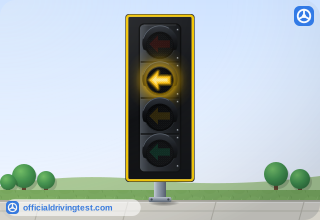
Yellow Arrow
Slow down. A yellow arrow means the light is going to turn red soon. Prepare to stop and give the right-of-way to oncoming traffic.
Manual page 111 · Open this page in the manual (Manual page 111)
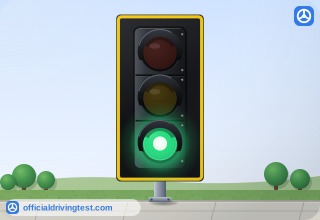
Solid Green Light
Go ahead, but make sure to: / Wait for the intersection to clear. / Yield to emergency vehicles as required by law. / Yield to pedestrians. / When you’re turning left at a green light, yield to approaching vehicles. Oncoming traffic has the right-of-way. Pause in a place that gives you a clear view of approaching traffic, and then safely complete the turn when there is a break in traffic.
Manual page 112 · Open this page in the manual (Manual page 112)
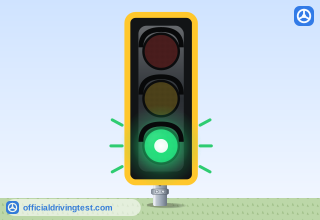
Flashing Green Light
You won’t see a flashing green light in Washington state. However, you might see them in British Columbia, Canada, as warning that pedestrians are waiting to cross.
Manual page 112 · Open this page in the manual (Manual page 112)
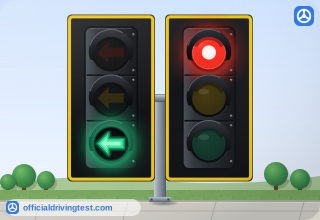
Green Arrow
Go in the direction of the arrow. A green arrow gives you the right-of-way to travel in that direction. There should be no oncoming vehicles, crossing traffic, or pedestrians while the arrow is green.
Manual page 112 · Open this page in the manual (Manual page 112)
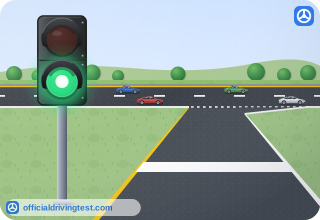
Freeway Ramp Meter
Ramp meters work like regular traffic signals. When the light is red, stop at the white stop line. When the signal turns green, you can continue along the on-ramp.
Manual page 113 · Open this page in the manual (Manual page 113)
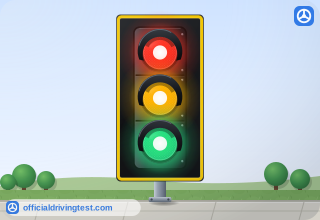
Traffic Signal (Crossover Point)
Crossover point Stoplight Intersection / Pay close attention to signs and pavement markings. They will guide you through the lane shift and turns.
Manual page 128 · Open this page in the manual (Manual page 128)
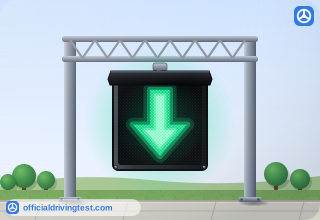
Green Arrow (Lane Control)
Check with the overhead signs before you start driving in a reversible lane. A green arrow means you can use the lane, and, a red X means you can’t.
Manual page 135 · Open this page in the manual (Manual page 135)
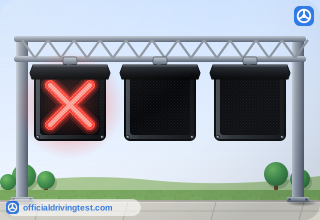
Red X (Lane Control)
Check with the overhead signs before you start driving in a reversible lane. A green arrow means you can use the lane, and, a red X means you can’t.
Manual page 135 · Open this page in the manual (Manual page 135)
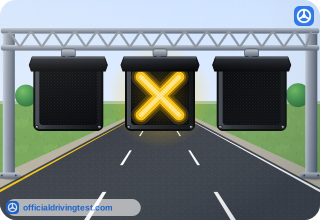
Yellow X (Lane Control)
A steady yellow X means the lane is changing direction, and you should move out of the lane as soon as it’s safe.
Manual page 135 · Open this page in the manual (Manual page 135)
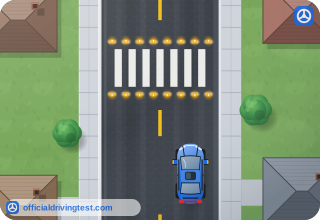
In-Pavement Crosswalk Lights
Some crosswalks might also have in-pavement lights that are activated by crossing pedestrians. You must yield when these lights are flashing.
Manual page 137 · Open this page in the manual (Manual page 137)