Traffic signals in Tennessee
The Tennessee Comprehensive Driver License Manual shows or names everything on this page: 18 in all, on pages 41–42, 61.
Independent educational site · not affiliated with any government agency or DMV
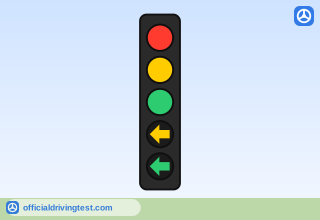
Five-Section Traffic Signal
Traffic Signals are used to control vehicle drivers and pedestrians at some intersections and crosswalks. Signals promote better movement of traffic on busy roads by assigning right of way. A green light means you can go if it is safe. A yellow light means caution—prepare to stop for the red light. The red light always means stop. Standard traffic lights are red, yellow and green, from top to bottom respectively.
Manual page 41 · Open this page in the manual (Manual page 41)
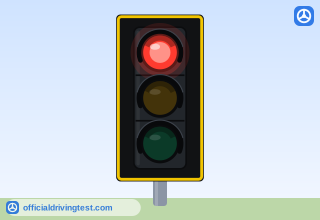
Steady Red Light
RED: Stop behind crosswalk or stop line.
Manual page 41 · Open this page in the manual (Manual page 41)
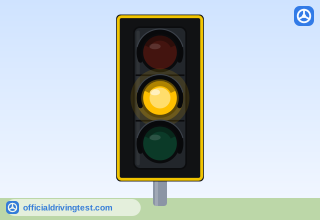
Steady Yellow Light
YELLOW: Caution—prepare to stop. The red stop signal will be exhibited immediately after the yellow light appears. Adjust speed immediately to come to a smooth stop. You must stop if it is safe to do so. Do not speed up to beat the light. If you are already IN the intersection when the yellow light comes on, do not stop, but continue cautiously through the intersection. Tennessee law only requires the yellow light to be exhibited for a minimum of three seconds before the red light.
Manual page 41 · Open this page in the manual (Manual page 41)
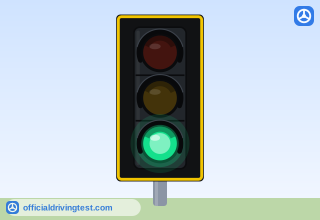
Steady Green Light
GREEN: Go IF the intersection is clear. You must yield to pedestrians and vehicles still in the intersection at light change. The green signal gives permission to proceed, BUT you must still observe the laws of the right-of-way. Yield to oncoming vehicles if you are turning left.
Manual page 41 · Open this page in the manual (Manual page 41)
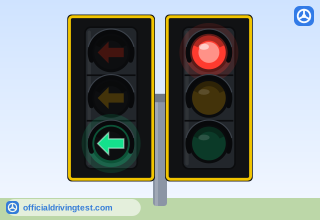
Green Arrow (Protected)
PROTECTED ARROWS: At many intersections, you may see what is called a “protected turn arrow.” When the arrow is green, you have the right-of-way and may drive the vehicle only in the direction of the arrow, after yielding to vehicles and pedestrians already in the intersection.
Manual page 41 · Open this page in the manual (Manual page 41)
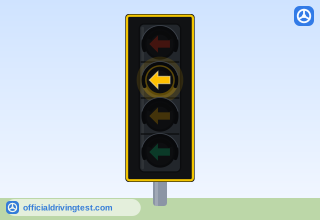
Yellow Arrow
When the arrow changes to yellow, prepare to yield to oncoming traffic.
Manual page 41 · Open this page in the manual (Manual page 41)
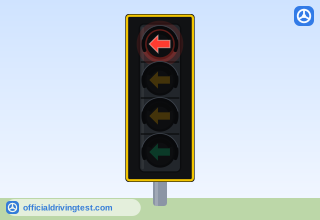
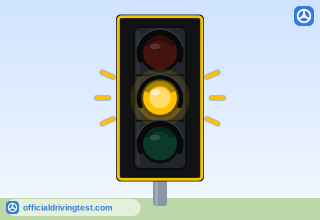
Flashing Yellow Light
FLASHING YELLOW Slow down and proceed with caution at the intersection.
Manual page 41 · Open this page in the manual (Manual page 41)
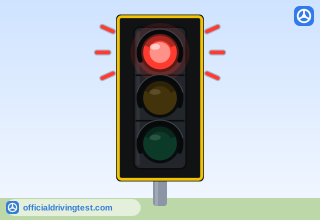
Flashing Red Light
FLASHING RED Complete stop. Same as stop sign. Look both ways, yield to traffic and pedestrians and proceed when it is safe to do so.
Manual page 41 · Open this page in the manual (Manual page 41)
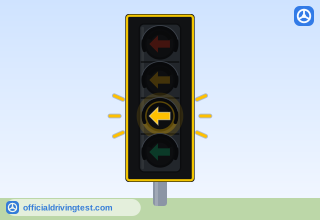
Flashing Yellow Arrow
PERMISSIVE ARROWS: If you see a flashing yellow arrow, you are allowed to turn left after yielding to all oncoming traffic and to any bicyclists and pedestrians in the crosswalk. You must wait for a safe gap in oncoming traffic before turning in the direction of the arrow.
Manual page 41 · Open this page in the manual (Manual page 41)
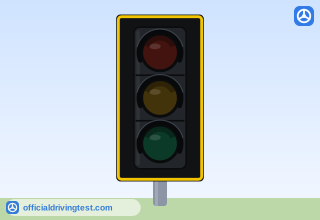
Signal Out of Operation (Unlit)
Tennessee state law requires that if a signal is not working, the intersection is to be treated as if it were an all-way stop intersection. Stop as you would if there were stop signs in all directions.
Manual page 41 · Open this page in the manual (Manual page 41)
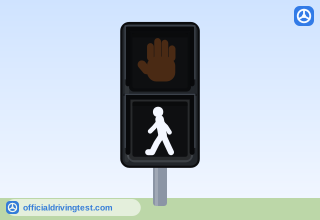
WALK Pedestrian Signal
Pedestrians, who have started to cross the street or intersection when the “WALK” signal or walking person sign appears, should continue as quickly possible to the other side of the street before the signal shifts to“DON’T WALK.”
Manual page 42 · Open this page in the manual (Manual page 42)
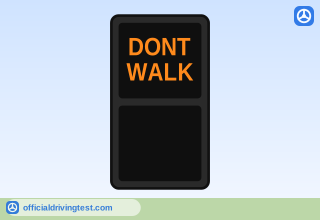
DONT WALK
When the pedestrian signal shows the words “DON’T WALK,” or a symbol of a raised hand appears, it is not safe to begin crossing a street or intersection. As a driver, pay attention to the traffic signals and pedestrian signals in order to anticipate when a pedestrian may begin to cross the street.
Manual page 42 · Open this page in the manual (Manual page 42)
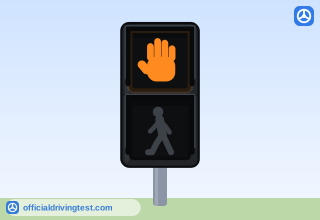
DON’T WALK (Orange Hand)
When the pedestrian signal shows the words “DON’T WALK,” or a symbol of a raised hand appears, it is not safe to begin crossing a street or intersection.
Manual page 42 · Open this page in the manual (Manual page 42)
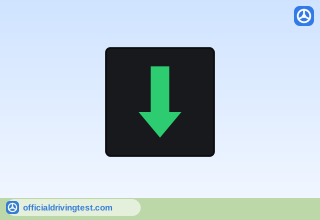
Lane Signal: Green Arrow
Driving in this lane is permitted (p61: A green arrow means you can drive in the lane beneath it.)
Manual page 42 · Open this page in the manual (Manual page 42)
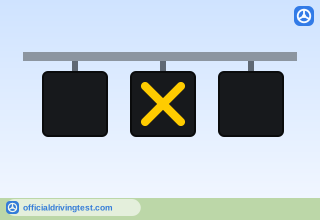
Lane Signal: Yellow X
If flashing lane is for turning only; if solid direction of lane is changing (p61: A flashing yellow “X” means the lane is only for turning. A steady yellow “X” means that the use/direction of the lane is changing and you should move out of it as soon as it is safe to do so.)
Manual page 42 · Open this page in the manual (Manual page 42)
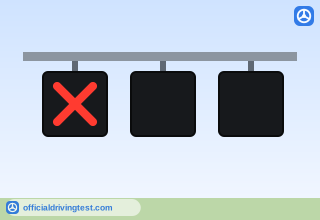
Lane Signal: Red X
Driving is NOT permitted in this lane (p61: A red “X” means you CANNOT drive in the lane below.)
Manual page 42 · Open this page in the manual (Manual page 42)
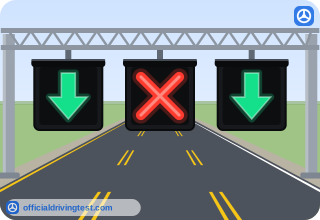
Lane-Use Signals over a Reversible Lane
Some travel lanes are designed to carry traffic in one direction at certain times and in the opposite direction at other times. These lanes are called “reversible lanes” and are usually marked by double-broken yellow lines.
Manual page 61 · Open this page in the manual (Manual page 61)