Traffic signals in Missouri
The Missouri Driver Guide shows or names everything on this page: 14 in all, on pages 30, 43–45.
Independent educational site · not affiliated with any government agency or DMV
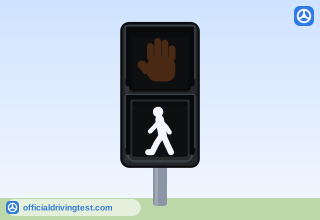
WALK
When you are facing a "Walk" signal or a green light, you have the right-of-way. You may begin to cross the road after you make sure all drivers see you and stop for you.
Manual page 30 · Open this page in the manual (Manual page 30)
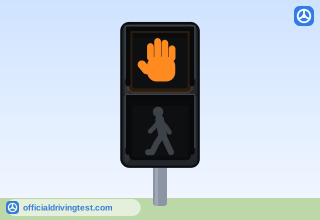
DON'T WALK
Do not begin to cross the street when you are facing a "Don't Walk" signal or a red or yellow light. If the flashing "Don't Walk" sign appears when you are crossing the street, you may finish crossing the street.
Manual page 30 · Open this page in the manual (Manual page 30)
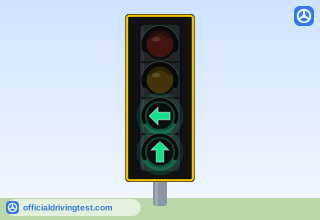
Dual-Use Lane Signal: Straight and Left Arrows
When both arrows appear on the electric traffic signal, you may either turn or go straight. But if you want to turn, and only the straight arrow is showing, you must wait for the turn arrow.
Manual page 43 · Open this page in the manual (Manual page 43)
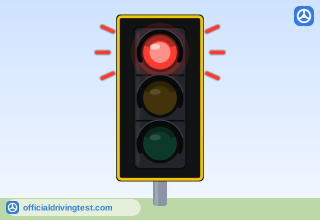
Flashing Red Light
Flashing traffic signals may occur during emergencies, night time and low traffic volume periods and special events. A flashing red light means the same thing as a stop sign.
Manual page 44 · Open this page in the manual (Manual page 44)
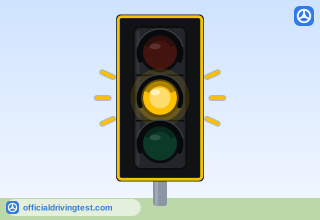
Flashing Yellow Light
A flashing yellow light tells you to slow down and proceed with caution.
Manual page 44 · Open this page in the manual (Manual page 44)
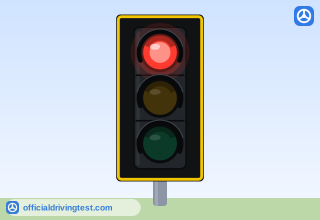
Red Light
A red light tells you to stop at the stop line, crosswalk, or before the intersection. Unless you are making a right turn, you must wait for the signal to turn green before you proceed. After making a complete stop, you may turn right on a red light if the way is clear of pedestrians and traffic. However, you must not turn right on a red light when there is a "No Right Turn On Red" sign posted.
Manual page 44 · Open this page in the manual (Manual page 44)
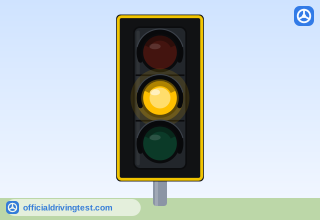
Yellow Light
A steady yellow light tells you the traffic signal is changing from green to red. Stop for a steady yellow light unless you are within the intersection or are so close that you cannot safely stop before entering the intersection.
Manual page 44 · Open this page in the manual (Manual page 44)
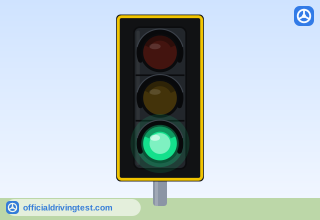
Green Light
A green light tells you that you can go through the intersection. However, you must first yield the right-of-way to traffic and pedestrians who are still in the intersection.
Manual page 44 · Open this page in the manual (Manual page 44)
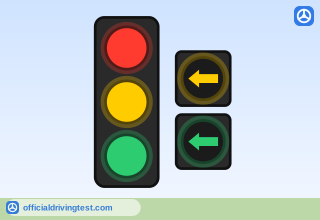
Left-Turn Signal Head (Red, Yellow, Green, Yellow Arrow, Green Arrow)
When turning left at a green light, there are three types of left-turn signal phases: 1. Permissive — Vehicles are given a circular green or a flashing yellow arrow and required to wait for an adequate gap in the opposing traffic prior to making their turn. 2. Protected — Vehicles may turn only when they receive a green arrow while opposing vehicles are stopped by a red light. 3. Protected/Permissive — Vehicles are given a protected phase (green arrow), or a permissive (circular green or flashing yellow arrow) phase, when drivers must choose an adequate gap in opposing traffic.
Manual page 44 · Open this page in the manual (Manual page 44)
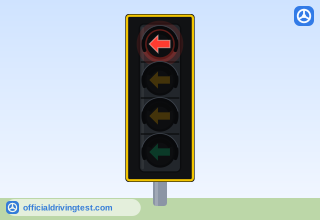
Steady Red Arrow
A steady red arrow tells you to stop at the stop line, crosswalk, or before the intersection. You must wait for the signal to turn green or a flashing yellow arrow before you proceed. However, you may need to yield to pedestrians.
Manual page 44 · Open this page in the manual (Manual page 44)
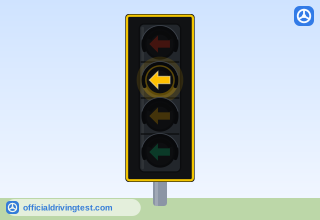
Steady Yellow Arrow
A steady yellow arrow appears after a green arrow. It tells you the green arrow will be changing to a circular green light, a flashing yellow arrow or a red light. You must be ready to yield the right-of-way to oncoming traffic or to stop.
Manual page 44 · Open this page in the manual (Manual page 44)
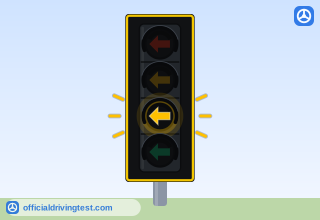
Flashing Yellow Arrow
A flashing yellow arrow tells you that you are allowed to drive in the direction the arrow is pointing but are required to wait for an adequate gap in the opposing traffic prior to making your turn. You must yield to pedestrians.
Manual page 45 · Open this page in the manual (Manual page 45)
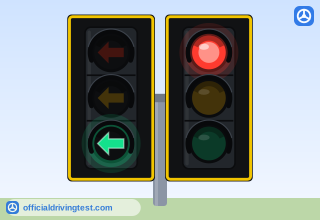
Green Arrow
A green arrow tells you that you can drive in the direction the arrow is pointing. You must be in the proper lane and the way must be clear of all traffic and pedestrians.
Manual page 45 · Open this page in the manual (Manual page 45)
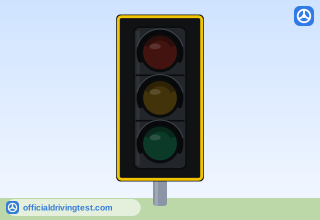
Dark (Out) Signal
Dark signals, or traffic signals that aren't working operate as a four-way stop.
Manual page 45 · Open this page in the manual (Manual page 45)