Traffic signals in Massachusetts
The Massachusetts Driver's Manual shows or names everything on this page: 17 in all, on pages 80–83.
Independent educational site · not affiliated with any government agency or DMV
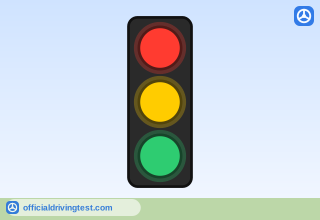
Traffic Signal (Red, Yellow, Green)
Traffic signals are usually three round lights: red, yellow, and green circles, from top to bottom. There are also other types of signals, such as single flashing lights, colored arrows, and signals with 4 or 5 sections.
Manual page 80 · Open this page in the manual (Manual page 80)
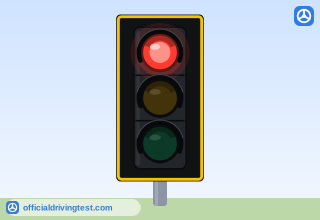
Steady Red Light
A steady red circle means “stop.” Do not go until the light turns green. You can make a right turn on a red light only after you come to a complete stop and yield to pedestrians or other vehicles in your path. You may not turn on red if a NO TURN ON RED sign is posted.
Manual page 81 · Open this page in the manual (Manual page 81)
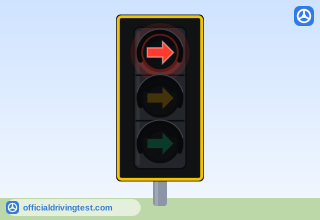
Steady Red Arrow
A steady red arrow means the same as a steady red, circular signal (see the preceding Steady Red section). However, it only applies to vehicles going in the direction of the arrow.
Manual page 81 · Open this page in the manual (Manual page 81)
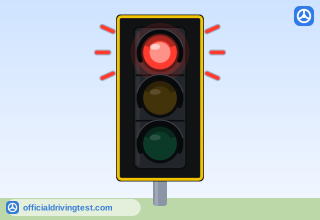
Flashing Red Light
A flashing red circle means the same as a STOP sign. Come to a complete stop. Obey the right-of-way laws and proceed when it is safe.
Manual page 81 · Open this page in the manual (Manual page 81)
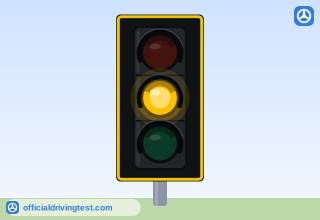
Steady Yellow Light
A steady yellow circle means the traffic signal is changing from green to red. You must stop if it is safe. If you are already stopped at an intersection or a stop line, you may not proceed.
Manual page 81 · Open this page in the manual (Manual page 81)
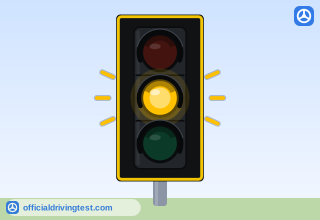
Flashing Yellow Light
A flashing yellow circle is a warning. Proceed with caution, and stay alert. Look both ways when crossing an intersection.
Manual page 81 · Open this page in the manual (Manual page 81)
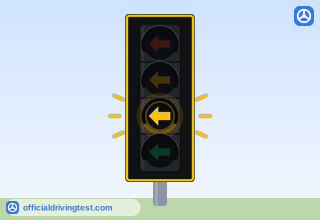
Flashing Yellow Arrow
A flashing yellow arrow allows you to turn left or right in the direction of the arrow when oncoming traffic has a green light but there is a break in traffic. You must carefully determine that there is an adequate gap in the oncoming traffic and ensure that there are no pedestrians in your path before making your turn.
Manual page 81 · Open this page in the manual (Manual page 81)
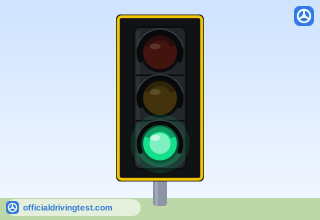
Steady Green Light
A steady green circle means “go.” But first, you must yield to other vehicles, bicycles, or pedestrians in the road.
Manual page 81 · Open this page in the manual (Manual page 81)
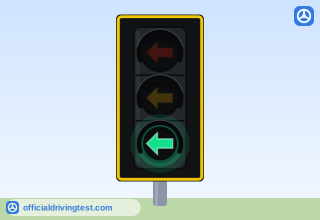
Green Arrow
A green arrow means you can make a “protected” turn in the direction of the arrow. When a green arrow displays for your turn, pedestrians and oncoming vehicles should be stopped for red lights.
Manual page 82 · Open this page in the manual (Manual page 82)
Rectangular Rapid Flashing Beacon
Rectangular Rapid Flashing Beacons are activated by pedestrians manually by a push button or by a pedestrian detection system. They are often located in intersections without traffic signals or at mid-block crosswalks. When activated, amber lights flash in an irregular pattern. You must stop for pedestrians when the beacon is flashing.
Manual page 82 · Open this page in the manual (Manual page 82)
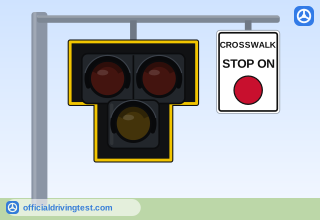
Pedestrian Hybrid Beacon
A Pedestrian Hybrid Beacon (PHB) allows pedestrians to safely cross a roadway. A PHB only operates when activated by a pedestrian. When all lights are dark, you can proceed with caution. When the bottom yellow light is flashing, you must slow down. When the bottom yellow light is solid, you must prepare to stop. When the top two red lights are solid, you must stop for pedestrians. When the top two red lights are flashing, you must stop and proceed with caution if clear.
Manual page 82 · Open this page in the manual (Manual page 82)
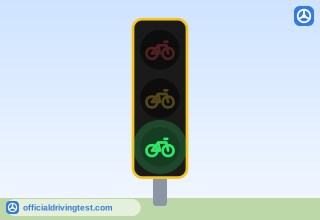
Bicycle Signal
Bicycle signals are lights specifically meant for bicyclists. They display as steady red, yellow, and green bicycle symbols. When the signal is green, bicyclists can go through busy intersections while motor vehicles are stopped, protecting them from turning vehicles.
Manual page 82 · Open this page in the manual (Manual page 82)
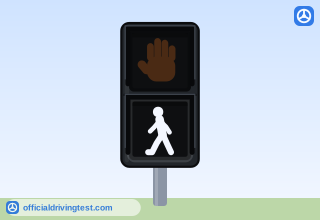
Walking Person Signal
Pedestrians must obey white and orange DON’T WALK and WALK signals.
Manual page 83 · Open this page in the manual (Manual page 83)
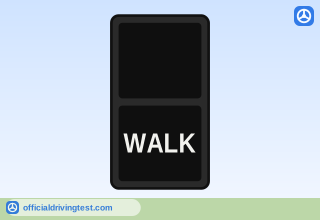
WALK
When the WALK signal is shown, you can begin to cross.
Manual page 83 · Open this page in the manual (Manual page 83)
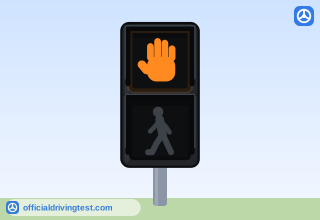
Steady Upraised Hand
Pedestrians must obey white and orange DON’T WALK and WALK signals.
Manual page 83 · Open this page in the manual (Manual page 83)
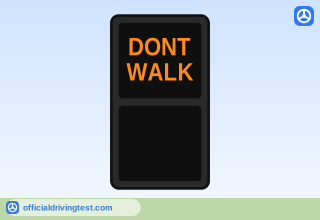
DONT WALK
When DON’T WALK is shown, you should not begin to cross; if you are already in the crosswalk, you should finish crossing.
Manual page 83 · Open this page in the manual (Manual page 83)
Pedestrian Countdown Signal
Some crosswalk signals include a numeric countdown timer. Pedestrians who are already in the crosswalk when the countdown reaches zero have the right-of-way.
Manual page 83 · Open this page in the manual (Manual page 83)