Traffic signals in Connecticut
The Connecticut Driver's Manual shows or names everything on this page: 15 in all, on pages 15, 45, 49.
Independent educational site · not affiliated with any government agency or DMV
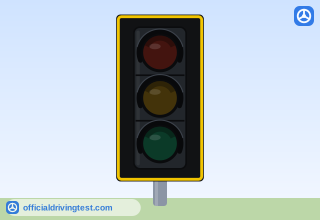
Traffic Signal Not Working (All Lenses Dark)
State law requires a driver at an intersection with an inoperative stop light to stop as though the intersection was controlled by a stop sign.
Manual page 15 · Open this page in the manual (Manual page 15)
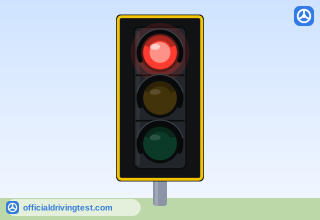
Red Light
Red traffic lights mean stop. You must wait until the traffic light turns green and there is no crossing traffic before you may move ahead. If you are turning right on red, you may turn after coming to a full stop and checking to make sure that there is no oncoming traffic and no sign prohibiting the turn on a red light. Watch out for pedestrians crossing in front of your vehicle.
Manual page 45 · Open this page in the manual (Manual page 45)
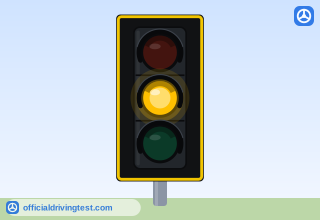
Yellow Light
Yellow traffic lights mean the traffic light is about to change to red. You must stop if it is safe to do so. If you are in the intersection when the yellow light comes on, do not stop-continue through the intersection.
Manual page 45 · Open this page in the manual (Manual page 45)
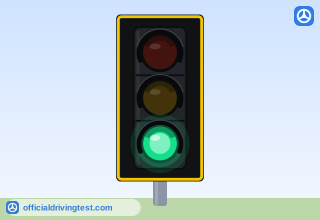
Green Light
Green traffic lights mean you can go through the intersection. You must yield to emergency vehicles and others as required by law. If you are stopped and then the light turns green, you must allow crossing traffic to clear the intersection before you go ahead. If you are turning left, a steady green traffic light means you may turn but only when safe to do so. If you are turning right, yield to pedestrians crossing the street.
Manual page 45 · Open this page in the manual (Manual page 45)
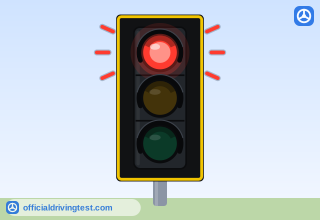
Flashing Red Light
A flashing red traffic light means the same as a stop sign. You must come to a full stop and you may proceed when it is safe to do so.
Manual page 45 · Open this page in the manual (Manual page 45)
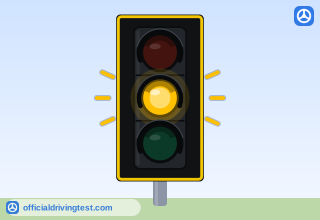
Flashing Yellow Light
A flashing yellow traffic light means slow down and proceed with caution.
Manual page 45 · Open this page in the manual (Manual page 45)
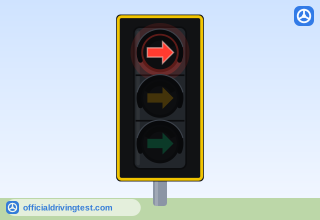
Red Arrow
A red arrow means you must stop and you cannot go in the direction of the arrow. You may proceed when the red arrow goes out and a green arrow or light goes on.
Manual page 45 · Open this page in the manual (Manual page 45)
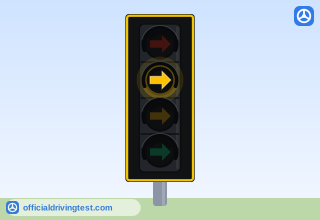
Yellow Arrow
A yellow arrow means that the protection of a green arrow is ending; if you are turning in the direction of the arrow, you should prepare to stop.
Manual page 45 · Open this page in the manual (Manual page 45)
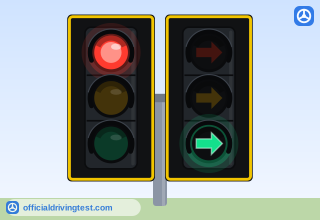
Green Arrow
A green arrow means you can safely turn in the direction of the arrow. There should be no on-coming or crossing traffic while the arrow is green.
Manual page 45 · Open this page in the manual (Manual page 45)
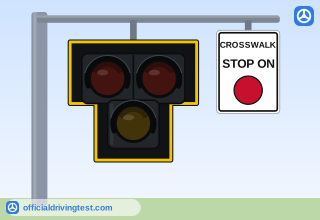
HAWK Signal: Dark
HAWK signal has not been activated. Vehicles proceed through pedestrian crossing.
Manual page 45 · Open this page in the manual (Manual page 45)
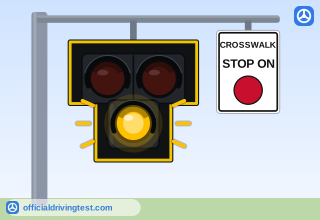
HAWK Signal: Flashing Yellow
Pedestrian has activated the HAWK signal.
Manual page 45 · Open this page in the manual (Manual page 45)
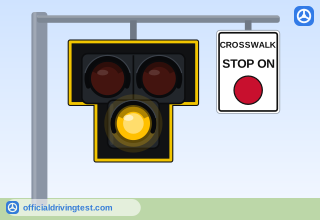
HAWK Signal: Solid Yellow
Pedestrian signal is about to change. Motorists are notified their movement is ending and a red signal will be displayed.
Manual page 45 · Open this page in the manual (Manual page 45)
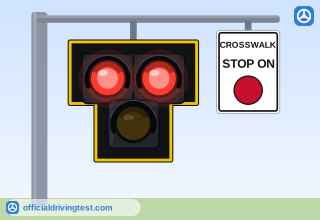
HAWK Signal: Solid Red
Pedestrians in crosswalk. Motorists must stop.
Manual page 45 · Open this page in the manual (Manual page 45)
HAWK Signal: Flashing Red
The HAWK signal is about to deactivate. Drivers must stop but may proceed when pedestrians have cleared the crosswalk.
Manual page 45 · Open this page in the manual (Manual page 45)
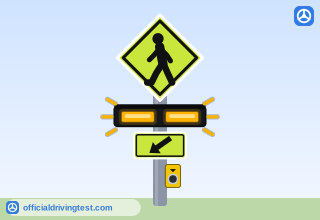
Rectangular Rapid Flashing Beacon (RRFB)
Designed to allow pedestrians to safely cross streets with high volumes of traffic at uncontrolled approached to unsignalized intersections or mid-block pedestrian crossings.
Manual page 49 · Open this page in the manual (Manual page 49)